Find the evidence
Dzen Chat searches the indexed website and documents for the fragments that best match the question. It does not send the whole knowledge base to the model.
An implementation reference for security, platform and engineering teams: what runs inside Dzen Chat, how knowledge is processed, where data lives and which controls constrain each answer.
RAG stands for Retrieval-Augmented Generation. Before an AI model writes an answer, the system retrieves relevant fragments from your approved knowledge base and adds them to the model’s working context.
Dzen Chat searches the indexed website and documents for the fragments that best match the question. It does not send the whole knowledge base to the model.
Selected sources, dialogue tail and answer policy are assembled into a controlled context. Ranking and relevance rules decide what is useful enough to include.
The chosen AI provider writes a response from that context. Dzen Chat preserves the source payload so the interface can link the visitor back to the underlying material.
The interface mirrors the separation between background indexing and the live chat request.
Initial indexing and source updates run in background workers through Redis queues.
Retrieval combines semantic similarity, full text and graph traversal.
The model receives a bounded, prepared context rather than the entire website.
Chat activity becomes evidence for improving content, knowledge sources and support operations.
For each question, Dzen Chat combines relevant dialogue with fresh evidence from the knowledge base.
Where do I add seats? · Can I change the billing owner?
Sources can be websites, sitemaps, documents, knowledge systems and API connectors. The crawler refreshes changed material asynchronously.
HTML and supported documents become usable content with headings, tables and metadata.
Content hashes and chunk hashes remove repeated templates and duplicate fragments.
Content becomes retrievable fragments with section paths, entities and document metadata.
Workers generate embeddings and persist chunks, vectors and metadata in PostgreSQL with pgvector.
Source, crawl and embedding states remain visible to administrators.
The administration area gives your team control over the widget: colours, activation triggers, suggested questions, conversational tone, welcome messages and contextual invitations.
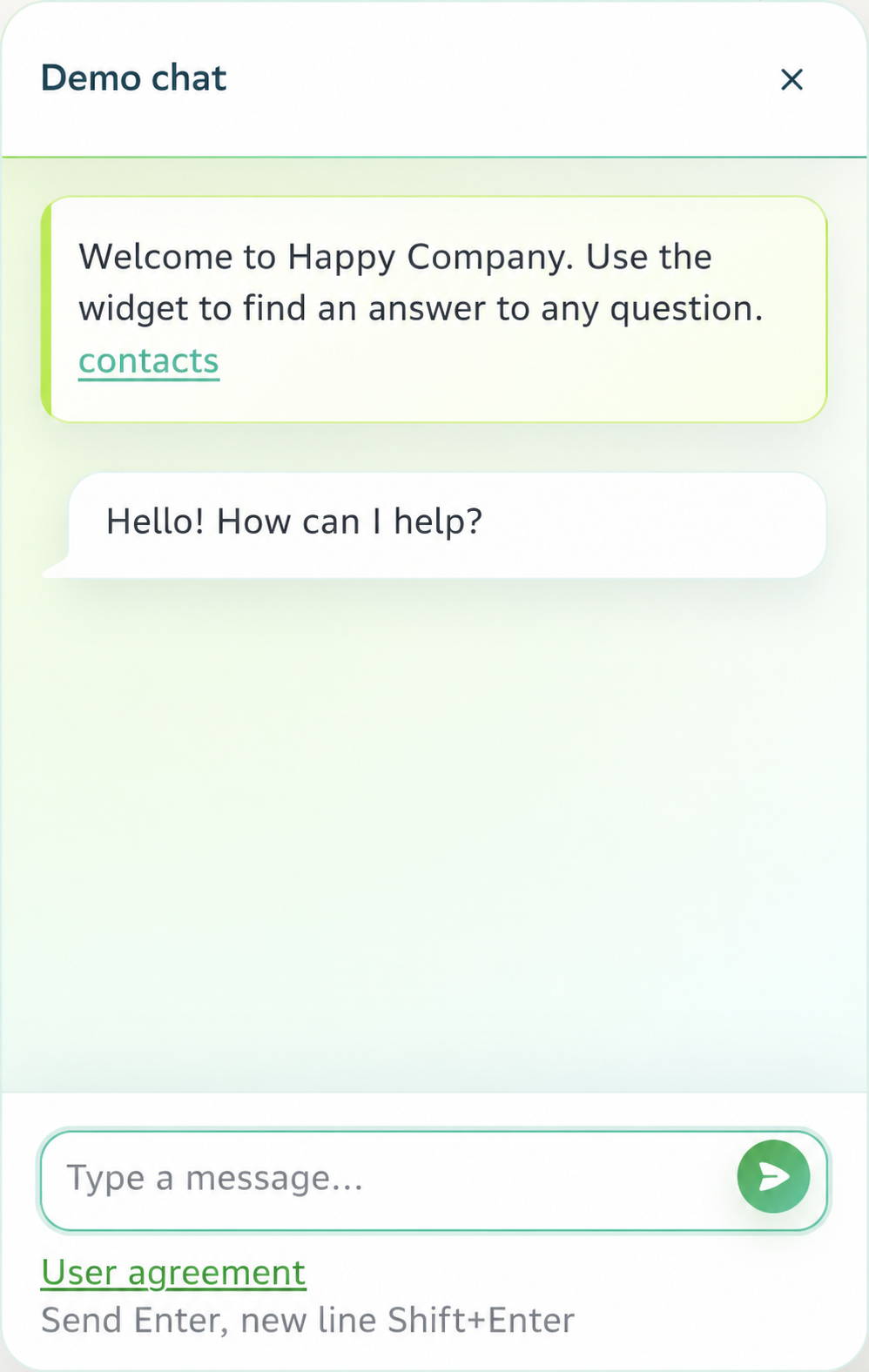
Configure visual language, welcome, suggested questions and activation rules to fit the page and visitor’s task.
Administrators can authenticate through a company directory, with optional group rules, service-account lookup and TLS settings.
Question and knowledge fragments are represented as vectors, finding relevant material despite varied wording.
Full-text search scores titles, URLs, headings and content for exact terminology.
Candidate lists are fused and reranked before a compact context is built.
Graph traversal surfaces supporting context across entities and documents, then combines it with vector and full-text candidates.
Keep retrieval and knowledge under Dzen Chat control while choosing a generation provider for your language, policy and infrastructure requirements.
 YandexGPT
 OpenRouter
 Anthropic
 Gemini
 xAI
xAI Mistral AI
 NVIDIA NIM
 Perplexity
 Hugging Face
 DeepSeek
 Qwen
Qwen Baidu AI
 Doubao
 SAP AI
 Cloudflare Workers AI
Private deployments can connect to your model endpoint or enterprise AI gateway; Dzen Chat provides retrieval context, orchestration and visitor experience.
Guardrails constrain the conversation before and after generation.
The model receives a bounded evidence set and may cite only supplied sources.
Prompt checks keep the assistant within the configured product, service and knowledge-base scope.
PII, moderation, prompt-injection and jailbreak checks can stop unsuitable input.
Output checks apply the same boundary, while blocked events remain available for review.
Dzen Chat can run in your infrastructure: widget, administration, index workers and knowledge store remain inside a controlled network boundary.
Customer network
Widget and API entry points.
Administration and chat orchestration.
Crawling, extraction and indexing.
PostgreSQL, pgvector and metadata.
Approved generation provider route.
Deployment can follow your network, identity and logging requirements.
We size the topology for your sources, traffic and availability needs.
Start with the most useful sources, then add integrations deliberately.
Dzen Chat can ingest websites, documents and knowledge-system APIs through supported connectors and scoped webhooks.
 Zapier
 Make
Make n8n
n8n Notion
 Google Drive
 Confluence
 Dropbox
 Box
Box Zendesk
 Intercom
 HubSpot
 Jira
Jira Linear
 Contentful
 Strapi
 Sanity
 WordPress
 Webflow
 Shopify
 ReadMe
 GitBook
 Docusaurus
 GitHub
 GitLab
 Bitbucket
Bring your requirements for security, deployment and knowledge sources. We will map a practical Dzen Chat starting point.