We constantly interact with large organizations: a bank, an employer, a service provider, a property manager or a government agency. We need to check a balance, the composition of a working group, the terms of a service or the list of documents — and first we go to the website, the personal account or an internal system.
If the answer isn’t found, the person calls the hotline. The problem isn’t always that the information doesn’t exist: usually it’s already in the rules, help, documentation, sometimes in an internal system. The problem is how to find it.
Let’s look at a real story that happened with a large cosmetics company. The company had a support team of about twenty people who were almost constantly answering the same common calls. We made a help site and showed people how to use it. At first it felt unfamiliar and people had to be directed there via the hotline. Very quickly people learned to use the site, and the load on the call center dropped by roughly an order of magnitude. The call-center staff were not fired: they were reassigned to other company projects.
More than twenty-five years have passed since then. We’ve entered the age of artificial intelligence, and the volume of information, services people use, and documentation on the internet has increased by many hundreds of times.
Search finds a document, but the person is looking for a way out of their situation
A typical site search is useful when a person knows what they’re looking for: the name of a document, a service, a SKU or a precise term. It quickly leads to a specific page.
On an unfamiliar site, the built-in search is unpredictable for a visitor. There’s no single standard: sometimes it understands an ordinary phrase, sometimes it requires an exact term, and sometimes it works with outdated or overly technical rules. A person doesn’t always know the organization’s language and can’t tell in advance whether they’ll be able to find an answer.
In addition, the visitor doesn’t always arrive with a precise formulation; they arrive with a real-life task. For example, they might come to a city administration site and find a document with the procedure for land allocation. But then follow-up questions appear: where to get the required documents and who to contact.
The task can also be more complicated: land allocation might involve registering documents for children. That creates a new cascade of questions, now tied to special conditions.
The visitor is not obliged to know your organization’s terminology. They are not obliged to guess in which section the rule, regulation or important document sits. Even a well-tuned search does not solve this problem and doesn’t make life much easier: it doesn’t link the found page to the necessary form, doesn’t explain what to do next after reading the document, and doesn’t show the next step.
So the visitor finds one page, then another, and then, disappointed, starts calling the hotline.
- 01Situation
The person describes the question in their own words.
- 02Document
Search helps open a familiar page or form.
- 03Conditions
Exceptions, related documents and a new question arise.
- 04Next step
The person needs to know what to collect and whom to contact.

Why improved search often doesn’t solve the problem
Even the best search, which handles synonyms, typos, word forms and complex ranking algorithms, does not solve the user’s ultimate task.
Imagine a visitor who found a form for a complex service. The next question appears immediately: what documents are needed for their specific situation? How to prove the required condition? Where to go to get a missing document? Answers may be spread across several pages and may not be named with the term from the original query.
The user doesn’t need another list of results. They need a concrete route to solve their own problem: which documents to collect, where to get them, what to do in their specific situation and which specialist to contact.
External AI tools do not create a managed knowledge base either
People increasingly turn to ChatGPT, Grok, Gemini and similar services. These services can search the internet and sometimes find documents on your site if explicitly asked. But the site owner doesn’t control which pages were found and indexed or which exact sources will appear in the answer.
Public search is often limited: search engines don’t always have the full contents of a site, and some important information may be hidden in internal information systems.
People are used to the convenience of public AI services. But if you send a visitor to look for an answer there, they may go to competitors or to other unverified sites, instead of getting a controlled answer from your knowledge base.
What Dzen Chat changes
Dzen Chat is hosted on your organization’s site and allows you to connect the public part of the site as well as internal information sources to the knowledge base. The visitor asks a question in their own words, clarifies it and receives an answer from a prepared context, rather than having to assemble a conclusion from a list of links.
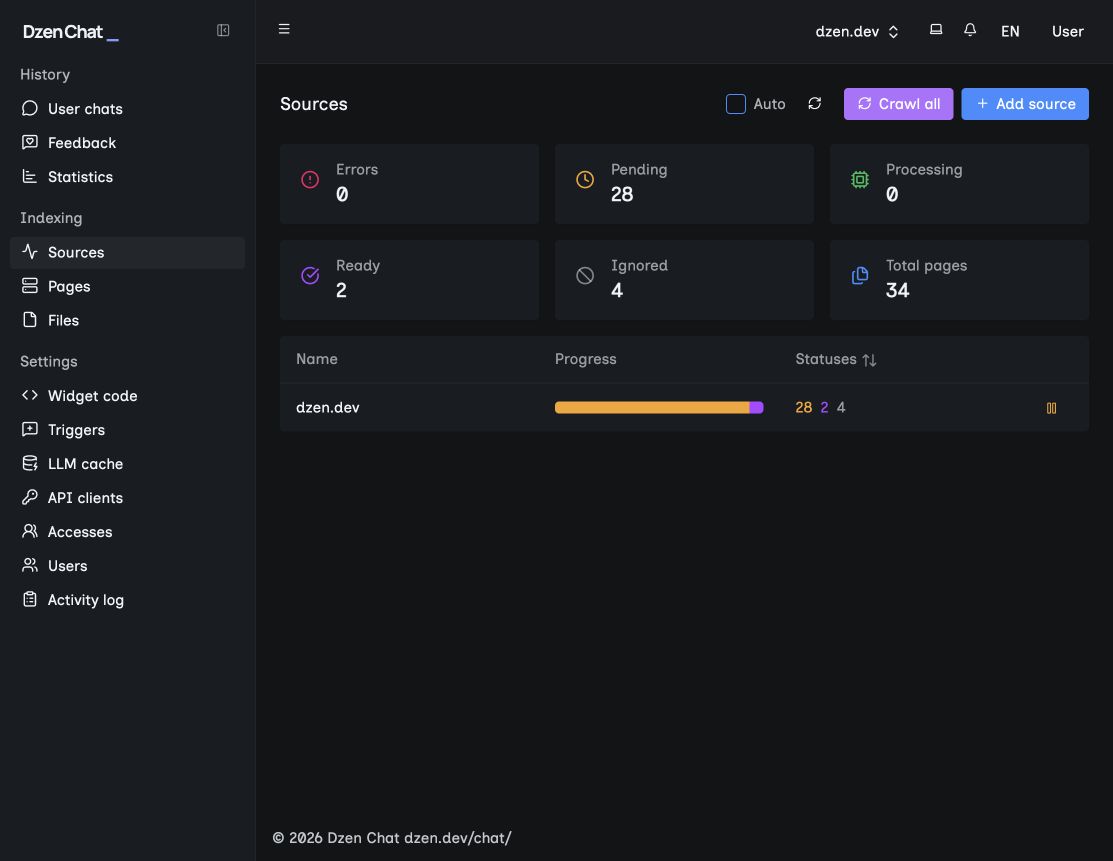
Your team manages the knowledge base: sees what’s in the index, where there are duplicates and problematic materials, can add additional sites, sources and documents, and — via API — control how quickly documents are updated in the base.
In a single base available for answering users there can live public pages, internal hidden sources, working documentation and documents in different formats — everything search engines don’t index and might not even be aware of.
Dzen Chat’s search is built on an architecture that can find relevant fragments of documents for a user query, combine them and, using modern AI models, provide a detailed answer in plain language.
The user gets a chat that remembers the conversation context and helps solve the task. In that sense it works like an assistant familiar with the procedures, documentation, forms and standards connected to the knowledge base — what’s published on the site or available in internal systems. It helps the user follow the path to a solution, not just find an isolated document.
Question, grounds and next step
First, the visitor describes their situation. Then the assistant relies on the chosen knowledge base and helps clarify the next action or the point at which the question should be handed to a specialist.
Multilingual support
A frequent problem, especially for public services, is serving people from different countries and regions. If your audience speaks different languages, site search won’t help them find the needed information. A browser’s built-in translation can translate an already opened page, but it doesn’t help find the right document.
With Dzen Chat a person can interact with site content in the language they’re more comfortable with. The query is matched against the connected knowledge base, and the answer is returned in the language the visitor used. This way the organization can extend support to people who don’t speak its main language.
Available languages may change depending on the AI provider’s model. More than forty languages are supported at present; availability should be confirmed.
A digital assistant that understands boundaries
Dzen Chat provides an answer from the connected knowledge base with a clear next step and understands the limits of help. The product includes tools to protect personal data and to configure when assistance should end and the conversation be handed over to a live specialist.
For the visitor this means a calm and clear path: first they receive an answer based on the organization’s materials, understand what can be done independently, and know where to go next. The system shouldn’t leave a person guessing or force them to repeat the same question to different employees.
Control stays with the organization. It determines which sources the assistant uses, what data it employs and at which point the conversation should be passed to a live person. If a question requires a personal decision, detail verification or staff participation, Dzen Chat will help transfer the user to the right specialist.
This is not an impersonal AI robot that tries to answer at all costs. It’s a digital assistant that helps solve tasks and understands the limits of its effectiveness.
Get a checklist to audit the path to an answer
Fill out the form now — and receive a checklist for auditing the path to an answer. It will help you understand why visitors don’t find the needed information, which questions lead them to support and where self-service can reduce unnecessary load on the team.
The checklist contains the first steps to check the site, the knowledge base and the user’s route from question to answer. After that you can order a site review and choose a suitable solution, including Dzen Chat as a managed assistant on your materials.